Thursday, October 7, 2010

Day 21


Yesterday I got home and Garrett was taking a nap and I was feeling restless. So, I decided to make a skyline of Flint. It was originally for something I can't remember, but as I worked--the idea progressed quickly into what you'll see below.

First, I needed some photos of Flint. Since it's not a huge city and has claim to maybe 3 'skyscrapers' there weren't many photos as I looked on Google. I started grabbing various ones, deciding that I would piece them together to make my own skyline.


This last photo was chosen to be the basis to the final project, the photo that all the others would be placed into. See below.

Next I selected, using the Magic Wand tool, all the white space in the above photo in Photoshop, then inversed it so that all the building would be selected instead (quicker). I then clicked Edit in Quick Mask Mode (underneath the background/foreground color chooser thing). Everything that was not selected is now shown in red, and I used the Brush tool to paint in some of the windows and lines of certain buildings that I wanted to stand out. Took a few tries before I got it how I wanted it. Went back to standard mode, and with the selection still...selected, I went Edit>Fill and filled in the buildings with black paint.
I edited some here and there, adding textures or going under Filter and looking at all the choices for Artistic, Blur, Distort, etc. Kept trying till I got something I could be happy with.
I then pulled up the biggest Salvation Army shield from Google that I could find. Opening it Photoshop, I filled it in using the black paintbucket. I cropped off the uppermost shield and with very little effort, dragged in the skyline and placed it on top of the shield.
In a separate page I typed out Flint, one letter at a time/separate layers, and then since I could not for the life of me remember how to do what I wanted to correctly, settled for nudging the letters in the Liquify option, to make them more curvy. Threw them on the shield and it took me about five tries of saving the photo, uploading it to facebook, deciding I didn't like it and redoing it over and over.

The scripture was easy. My brother has part of Isaiah 61 tattooed on his arm. I couldn't remember what Bible verse it was tho, so I almost ended up putting in part of a speech by William Booth. I actually got that typed into the shield and everything before I remembered the other verses location.

So it took me maybe 4 hours to make this. I don't think it's the greatest thing ever because of how fast and sloppy I did it, but when the mood strikes me I'm gone.

Here's the final:


Tuesday, August 24, 2010

Day 20


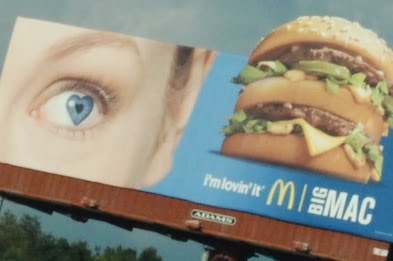
So I like to steal ideas from other people. First, stealing my fLint photos from GLEE, and now, the photo at the very end of all this from McDonalds billboards (below)


I did this on a whim last night, it took me two hours and I used an old photo.

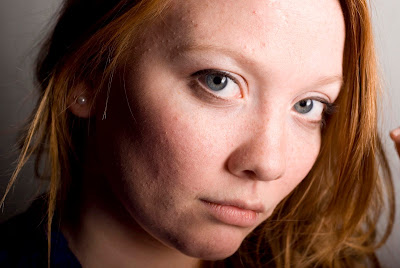
I edited the original in Photoshop.

This is what it looked like!

I copied the eye and opened it in a new window, then proceeded to grab a photo of a Salvation Army shield and opened that in a separate window:
I erased everything inside the shield except for its outline. I put that over the eye and resized it until it looked okay. Using the clone tool I filled in any areas that didn't have 'eye' in them.

I edited the eye a little bit too, using burn and dodge to make the eye pop a little better.

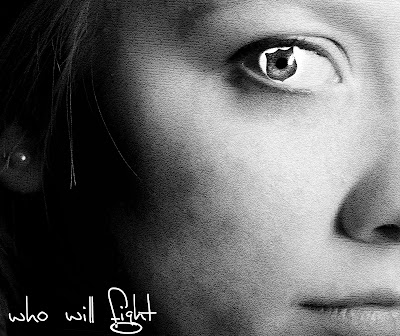
I then edited the eye with Lens Distortion and gave it vertical distortion so that it was more angled. I dragged the eye layer into the photo above of the subject (Kim) and resized and turned it until it was where I wanted it. Then I ran Portraiture on the photo to soften the skin. I ran a B/W action and then messed with the photos cropping. I also added some texture to the photo, especially on the skin because I thought it needed something extra so that it wasn't very 'portraity' (although going back I would focus more on clearing the skin up and taking away any blemishes/shadows/lines)

This is what I got:


Sunday, August 1, 2010

Day 19 -- Engagement Photos


Alright. I've only done engagement photos twice. This was my second, and they were strictly outdoors; my first couple we did studio shots. We headed out for the shoot in a nearby park right before a friends open house this summer. Other than my camera, I carried my SB-600 flash on a tripod which provided fill light on the subjects (sometimes for not enough light, sometimes for uneven light that was coming in thru branches or something).

Here's what I got (some other photos were too big of files to upload)


Wednesday, July 28, 2010

Variations

Variations of a photo just by messing around (semi-lazily) in Lightroom. The first one is the original.


Friday, July 9, 2010

Hawk + Son


**UPDATED JULY 27th, 2010


So I have some pretty cool friends who are in a pretty cool band (and have helped me out by doing the fLint photos).

Here are some quickly edited photos from the shoot I just did for them tonight!

These are all shot outdoors from sunset on. I used my Nikon D80 and my 50mm portrait lens the entire time. Shutter speed was mainly at 200 and aperture was f/9. ISO 125.
2 strobes on full power, one at camera right shooting them from behind into an umbrella. The other was camera left and with a softbox.

**You can click on the photos to see them bigger**


Tuesday, June 22, 2010

Day 18 -- PUBLICATION


Things are going pretty good for me right now. I have a permanent job that's some months part-time, some full-time and I like it. Everyone gets along with everyone and we love to eat and hang out so I got pretty lucky there.
I feel a little stuck with a photography name. And I don't feel like I can really move ahead like I want to without one. I have 4 rules when it comes to finding a name, but I won't go into that now. I have however been paying attention to things around me, things I read/sing, trying to find the one that clicks. It may be an insecurity thing or just a wish to be semi-anonymous, but I rather not have my name be my business! Okay, I just gave a rule away, I won't say more---
But things have been going good---I'm saving to get a new camera, I have a few shoots coming up within the next few weeks that I'm excited about. I raised my prices too, as you may have read in my last entry. It may annoy some people that I did, but this is what I went to school for--for 4 years, this is my career and future business. Outside of school expenses I've laid down at least $5,000 if not more on lighting, backgrounds, camera equipment, and props. Earning $40 a shoot is not going to put a dent in anything! Especially when one shoot takes me about 11 hours of editing and around hour 4 I wonder where's the incentive?

SOOOOO---to the really exciting part of this entry----Sometime in late April/early May I got an email from a guy saying he wanted to use one of my photos for the cover of this magazine. Well, that was super cool!! I had done a photo shoot--mostly for fun, of people making the L sign with their fingers, and then I added F-I-N-T in photoshop so that they spelled FLINT. I got this idea from the tv show Glee! They did it in some of their promotional photos, so I got two groups of friends to come at different times and I took their photos! (Follow photos on left side of page to my Flickr site to see more) Anyway, when I uploaded these photos, I tagged/added them to some of the groups I had joined on Flickr, one of which was the Broadside magazine. They saw the photo, discussed it, then emailed me for permission to use it on their next cover! It came out today and I went with my friend Mitch and picked up two bundles of the issue : )
Here's some photos!!


the original photo:

Okay, that's it for now!! Hope some of this made sense, I'm pretty much half asleep right now anyways!

((P.S.---Broadside is a local alternative magazine that's mostly circulated thru the colleges and small businesses around downtown Flint!))

Thursday, June 17, 2010

NEWS! NEWS!!

So some pretty cool things lately!
1.) As seen in the entry 2 before this, I got new props! They're super cool and I lovvve them!
2.) Still no business name, but I raised my prices! You probably don't want to hear that, but a lot of people kept telling me to and I figured it was time. I didn't want to charge a lot until I was more comfortable with my lighting and my camera and gained a bit more self confidence!
3.) Gonna purchase some new things...
a.) I'm looking to get a new camera (the Nikon D700). This camera will do wonders! It captures a better range of colors and tones, has AMAZING low light capability, higher megapixels, and is a full frame camera!
b.) Still need a few more things for my studio! First, a wireless trigger so that I don't have to keep my camera plugged into my lights with a huge long cord, second a remote so that I can be away from my camera and still take photos. Third, I need an actual reflector. Alas, insulation hasn't been doing that swell of a job : (
4.) Once I find a name, I'll be throwing money forward to getting a professional logo and website design. Then business cards and maybe a business license thing. YEAH!
I'm on my wayyyyyy.
5.) When people buy CDs from me, now they're going to get them in super sweet custom CD cases! I'm excited about that.
BUT DANNGGG I NEEEDDD A NAMEEE!!!

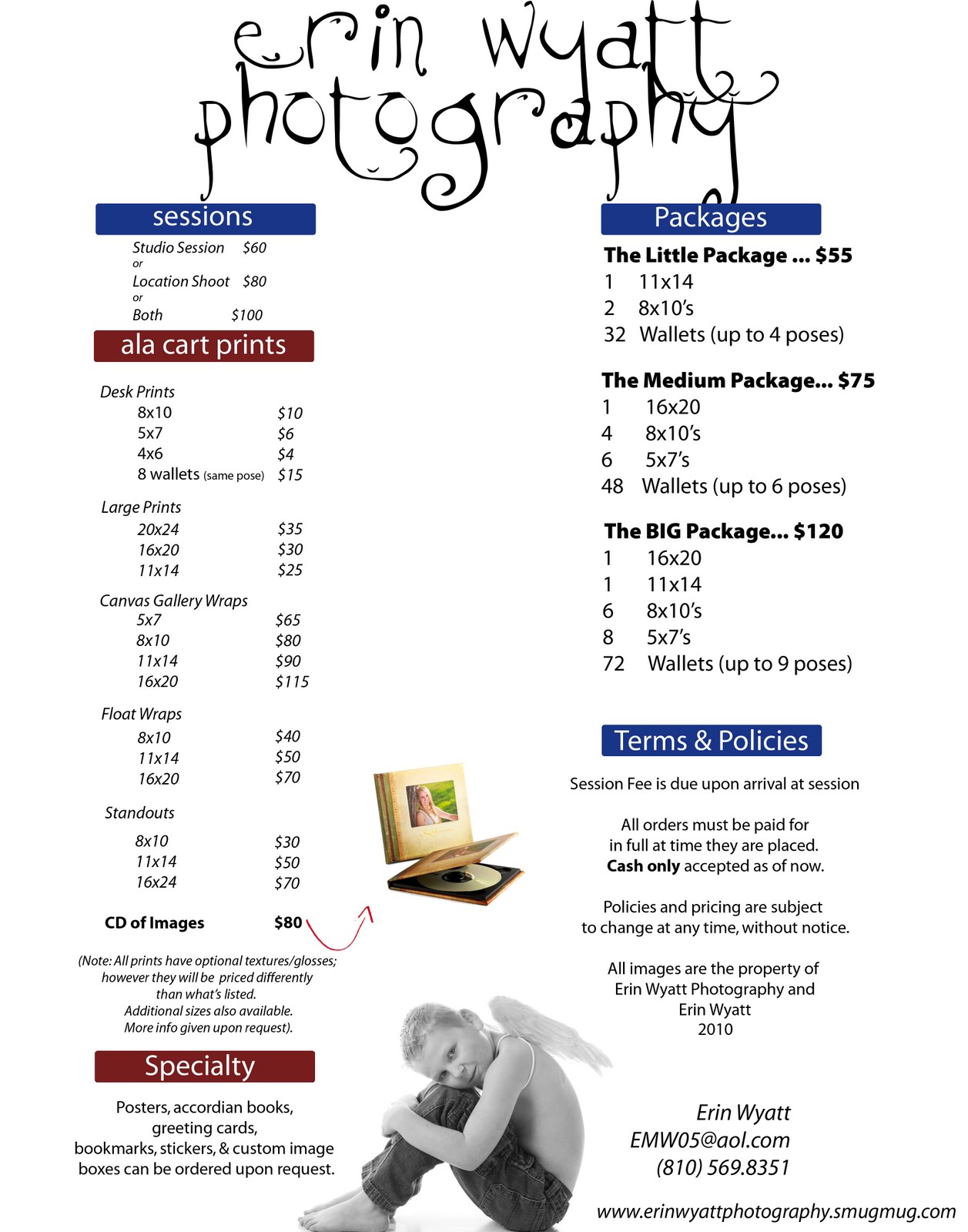
Here's my price list, and I decided to make a quick products page!

Thursday, June 10, 2010

Day 17 part 2!!


Got to shoot a cutie tonight--Maddie R!

Here she is, over a month old.

If you saw my previous post, the blankets used in these two photos are the new ones I got!! The top photo is with the furry rug, and the bottom is the blanket I got from Big Lots (WHICH, I love because on the right side of Maddie you can see all the texture in the blanket and it looks cool!)

Day 17---PROPS

Tuesday night I traveled down to Ikea and spent some money on photography props!! Here is a real quick photo of what I bought!

On the left you'll see a whicker basket, it's standing upright and is very shallow and egg shaped. Less than ten bucks. The pink chair was about 15 dollars, and then I got the two stools--one green, one white---that were about $9 each. The rug on the floor is from Ikea and cost 25 whopping bucks, but is totally worth it!!
The blanket on the couch I bought today at Big Lots for $15, it's hairy and has cool swirl patterns. I have a shoot tonight and am hoping to use all but the chairs!


Wednesday, May 26, 2010

Day 16

Along with my Nikon d80, I have 4 lenses that I use. I have a 18-55 which I use most of the time when not doing actual photography, a 55-200mm, a f/2.8 fisheye that cost a pretttyyyy penny, and my absolute favorite, my portrait lens---the cheapest but most worthwhile purchase: Nikkor f/1.8 50mm.

This lens is pretty boss because:
1.) It's tiny!! it's half the size of my 18-55 and easy to cram into my camera bag.
2.) It can be your best friend or your worst enemy. Depending on what your aperture is at, this lens can make your picture sharp as all get out. Or, if at it's biggest aperture, really gives you depth of field.
3.) It was reallly cheap. $100-150? I think. It was in my budget at the time, that's all I know!
4.) I can be doing really bad portraits with my 18-55 and will put this baby on and BAM! suddenly i'm working magic, like in the engagement photo shown below!! Suddenly everything clicks and poses come together, and lighting and oh man. I love this lens!!


That's todays lesson! Invest in one good portrait lens :)